Go, Robo Pups!: coding across the Solar System
$11.00 one-time payment
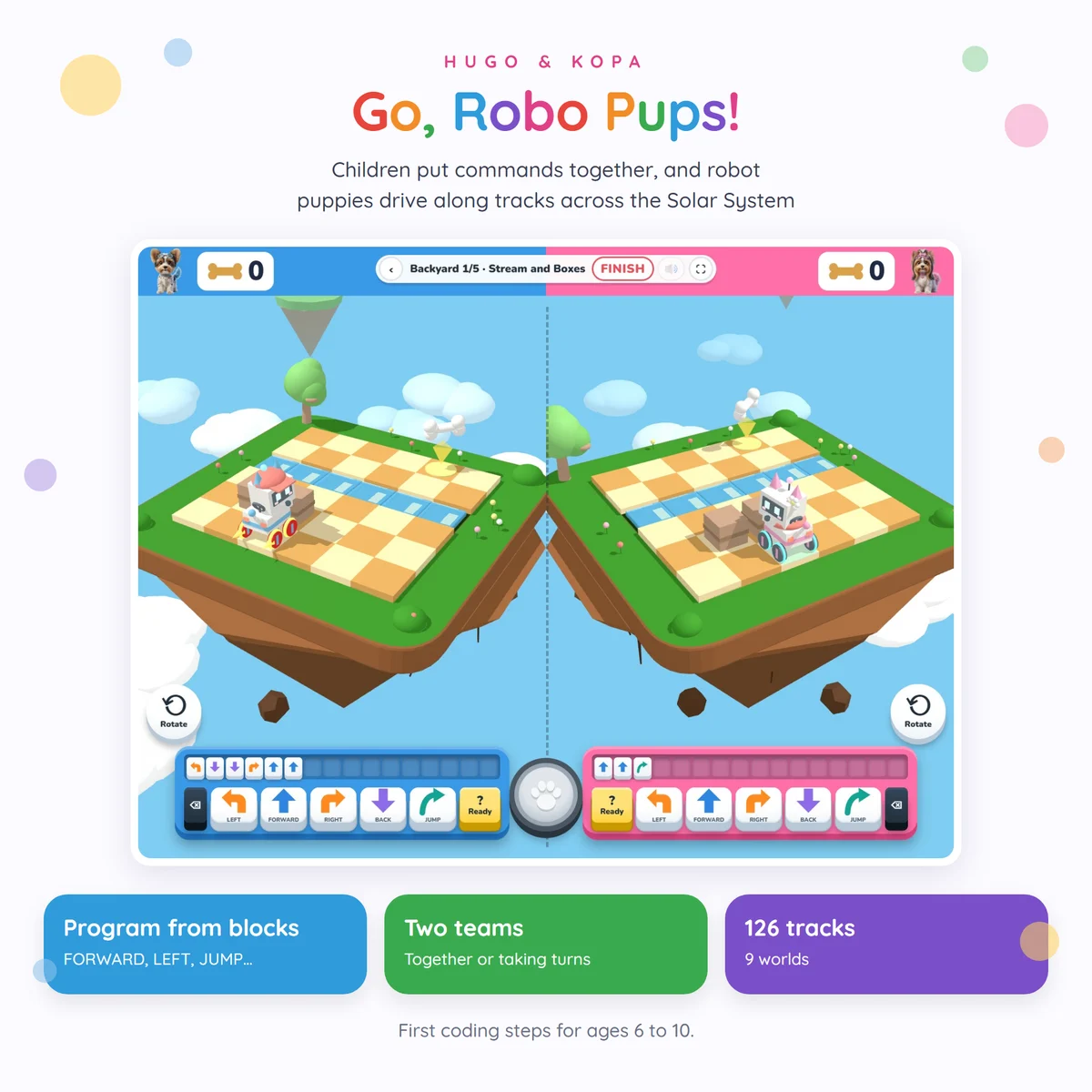
A coding game for the interactive whiteboard: children put commands together from blocks, and two robot puppies drive along tracks across the whole Solar System.
For one teacher. Need it for your whole school? Email us.
About this game
Hugo and Kopa have become robots and are travelling across the Solar System. Children build a program from blocks, and the robot drives along the track following their commands. If it doesn’t work, they fix the program and try again.
Nothing to install, no logins: one file opens in the browser and works offline.
126 tracks, 9 worlds
Earth, the Moon, Mars, Jupiter’s moon Io, Saturn’s moon Titan, Uranus’s moon Miranda, Neptune’s moon Triton, Venus and Mercury. Each world is harder than the last, and between tracks children learn real science facts about the planets.
10 coding blocks
FORWARD, LEFT, RIGHT, BACK, JUMP, LIGHT, GRAB, WAIT, FLY and REPEAT (a loop). The blocks unlock one by one as the robot gets new parts.
The first lesson: a story
An adventure of about 18 minutes with the Magpie, who has stolen the bones.
For the class and for teams
- 1 child or team, or 2 teams
- Together: two tracks, both teams at the same time on boards with multi-touch
- Taking turns: one track, for single-touch boards
- Lesson length: 5 minutes (3 tracks), 10 minutes (5 tracks) or 20 minutes (9 tracks)
- Points for the shortest route
Robot garage
31 decorations for the head, body and wheels, planet badges and gifts, and a map of the Solar System between the worlds. At the end there is a grand finale and a printable class certificate “Solar System Explorers”.
At the board
- The command blocks and the program strip are at the bottom of the screen, where children can reach
- Zoom is locked, so children can’t accidentally move the picture
- The browser remembers the settings, the classes, their progress and the garage
- English, Polish, Latvian, German, Spanish and Estonian in one file
What you need
- An interactive whiteboard, a computer or a tablet
- A browser: Chrome, Edge, Safari or Firefox
- You don’t need the internet once the file is saved
- You can carry the file on a USB stick and open it on the computer at the board
How to open it
Right after payment you get two links, on the screen and by email: a download link and a “Play online” link that works for 12 months. Save the file on your computer, open it with a double click, and it works offline. Save the file within 30 days (the link allows up to 5 downloads).
You pay once. The file is yours to keep.
Questions
What do I need to play?
A computer or interactive whiteboard with a browser such as Chrome, Edge, Safari or Firefox. You get one HTML file: open it on the board or on a laptop with a projector. On a tablet, play with the “Play online” link from your order email. The game is not made for phones.
Do I need internet?
Only to download the file. On a computer or an interactive whiteboard the saved file then works offline. On a tablet the game works only online: your order email has a “Play online” link that works for 12 months. Use the same link on a school computer that doesn’t allow downloads.
How do I get the game after paying?
Right after payment you get two links, on the screen and by email: a download link (save the file and open it in your browser) and a “Play online” link that works for 12 months. Save the file within 30 days (the link allows up to 5 downloads).
Can I use it in more than one classroom?
One purchase is for one teacher. For a whole school, write to us and we will find a solution.


